
Best Web-based Text Editor Tool for Messaging Apps
I frequently share stories found online in WhatsApp groups. However, I used to waste a lot of time modifying the text—such as making parts bold or italic—after pasting it into the WhatsApp chat box before sending. This was because the chat input area is quite small, while my stories are often very long; this issue exists on both the mobile app and the web version of WhatsApp.
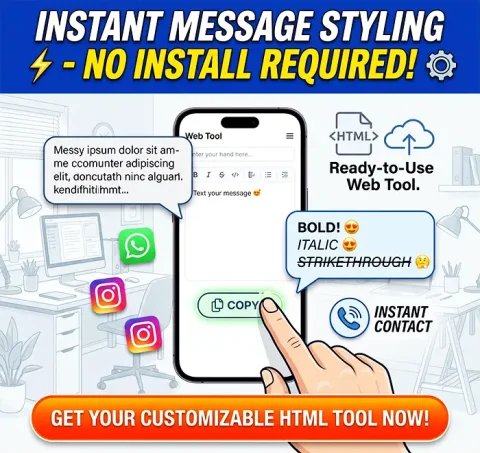
To address this problem, I created a custom HTML-based text editor tool. Now, I can easily paste my story into this tool, modify it as needed, copy the formatted text, and then paste it into the WhatsApp group to send.
This text editor tool saves me a significant amount of time. You can try it out yourself by clicking the demo link I’ve provided. Alternatively, you can purchase the HTML code to build your own website and monetize it by displaying ads.
Product Overview:
Simplify your workflow with Message Stylist Pro, a premium, single-page HTML web tool. Designed for maximum portability, this lightweight utility runs directly in any modern web browser without the need for complex installations or backend setups. It is the perfect solution for creators and marketers who want to provide a valuable, ready-to-use formatting resource to their audience.
Key Features:
- Ready-to-Use HTML: A clean, responsive, and fully functional index.html file that is easy to manage.
- One-Click Formatting: Built-in support to apply Bold, Italic, and ~Strikethrough~ styles instantly.
- Live Preview: Real-time rendering so users can see exactly how their styled text appears.
- Integrated Branding: Easily modify the pre-configured social media links (Instagram, YouTube, Website) within the HTML file to match your brand.
- Customizable Promotion: Edit the service promo section directly in the code to highlight your own business offerings.
- Fully Responsive: Mobile-friendly design that adapts perfectly to smartphones and desktops.
Why This HTML Tool?
- Instant Deployment: Upload the file to any hosting provider (GitHub Pages, Netlify, Vercel) and go live in minutes.
- Easy to Customize: Comes with a comprehensive User Guide.pdf that provides step-by-step instructions to update links, numbers, and promotional text.
- No Dependencies: Since it is a standalone HTML file, you don't need databases or server-side configurations.
Important Notice:
This tool is a third-party text formatter designed for messaging applications. It is not affiliated with, endorsed by, or sponsored by any messaging platform company.
What’s Included in Your Download:
- index.html (Fully functional source code).
- User Guide.pdf (Complete setup and customization manual).
No reviews found!




















No comments found for this product. Be the first to comment!